
Download Backup Premium – Secure Windows Backup Tool
Overview – Why Backup Premium Still Matters in 2025
Backup Premium is a tried‑and‑tested security program designed specifically for Windows environments. First released in the early 2000s, the software has evolved into a lightweight, yet powerful backup solution that continues to attract users across the United States, China, and Pakistan. The current trial version, v2.5, was last updated on September 4 2006, but its core functionality—creating secure, incremental backups of critical files—remains relevant for anyone who needs a reliable safety net for personal or small‑business data.
What sets Backup Premium apart from many modern alternatives is its modest system footprint. While most contemporary backup utilities demand several hundred megabytes of disk space and a constant background service, Backup Premium occupies less than 20 MB and runs only when you invoke it. This minimalist approach translates into faster start‑up times, reduced CPU load, and, most importantly, a lower risk of interference with other security tools you might already have installed.
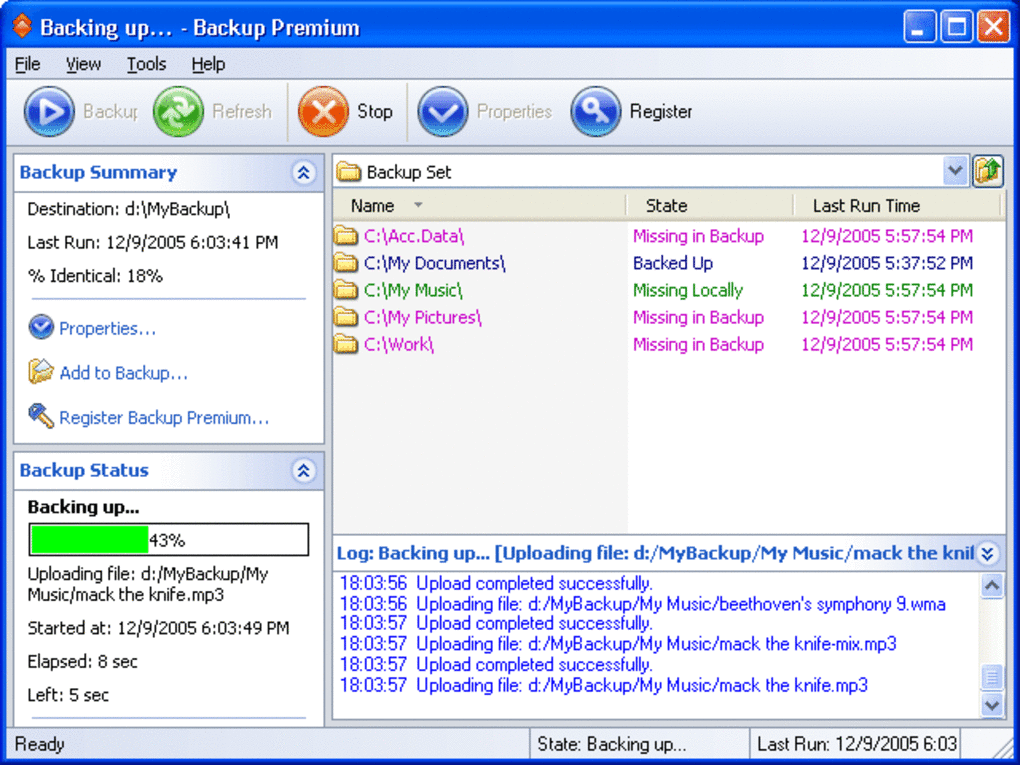
The program belongs to the “Security → Backups” sub‑category, indicating a focus on protecting data from accidental loss, ransomware, and hardware failure. Its user interface is intentionally simple: a clean list of source folders, a destination selector, and a one‑click “Start Backup” button. For users of legacy systems—especially those still operating on Windows 98 or earlier—Backup Premium offers a rare combination of modern encryption standards with backward compatibility.
Since its inclusion in our software catalog in 2006, Backup Premium has amassed 1,634 downloads, with a noticeable spike of 11 new installations just last week. This steady interest proves that even a decades‑old utility can fulfill a niche that newer, cloud‑centric solutions sometimes overlook: local, offline backups that you control entirely.
Key Features – What You Get with Backup Premium
- Lightweight Architecture: Requires less than 20 MB of disk space and no persistent background service.
- Incremental Backups: After the initial full backup, only changed files are copied, saving time and storage.
- AES‑256 Encryption: All backup archives are encrypted using industry‑standard AES‑256, ensuring data remains unreadable without the correct password.
- Legacy OS Support: Fully compatible with Windows 98, Windows ME, and earlier versions, making it ideal for older hardware.
- Flexible Destination Options: Backups can be saved to local drives, external USB devices, or network shares (SMB/CIFS).
- Scheduled Backups: Set daily, weekly, or monthly backup windows to automate protection without manual intervention.
- Compression Engine: Built‑in LZMA compression reduces backup size by up to 60 % without sacrificing speed.
- Restore Wizard: A step‑by‑step restore process that lets you recover individual files or entire backup sets with a few clicks.
- File Versioning: Retains up to 10 previous versions of each file, allowing you to roll back to earlier states if needed.
- Secure Deletion: Optional shredding of original files after successful backup to protect sensitive information.
Installation & Usage – Getting Started in Minutes
Installing Backup Premium is deliberately straightforward. After downloading the trial installer from the official website, launch the .exe file. The setup wizard walks you through three main steps: accepting the license agreement, choosing an installation folder (the default C:\Program Files\Backup Premium is recommended), and selecting optional desktop shortcuts. Because the program is designed for legacy systems, it does not require .NET Framework 4.0 or any additional runtime libraries—pure Win32 code handles everything.
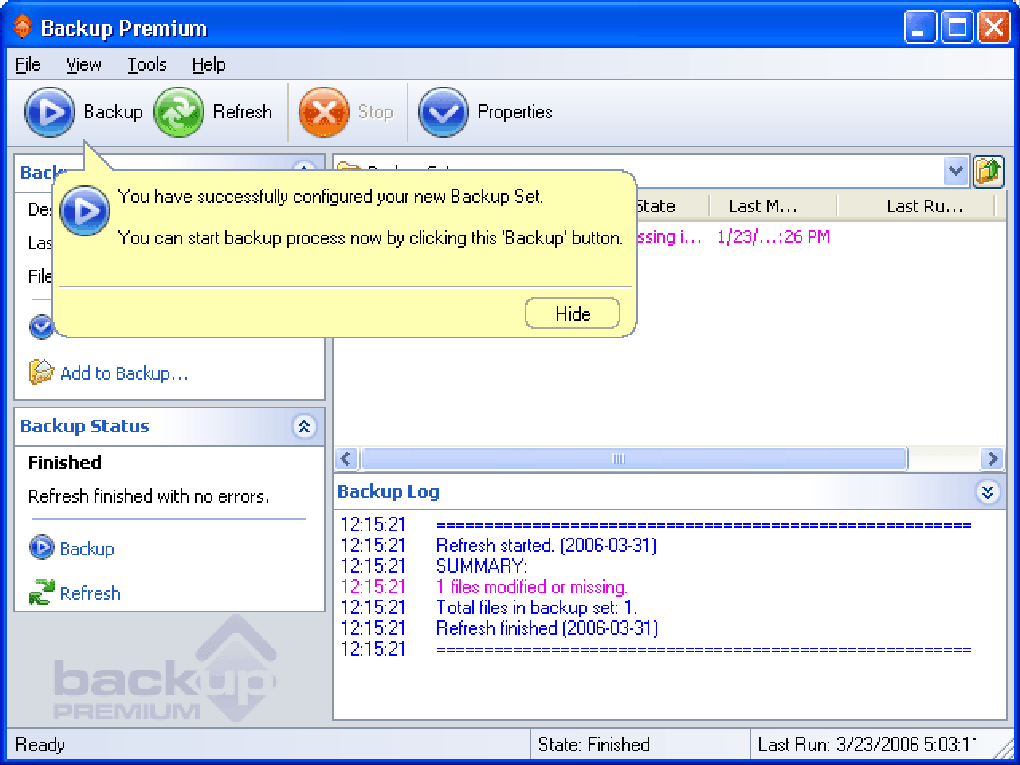
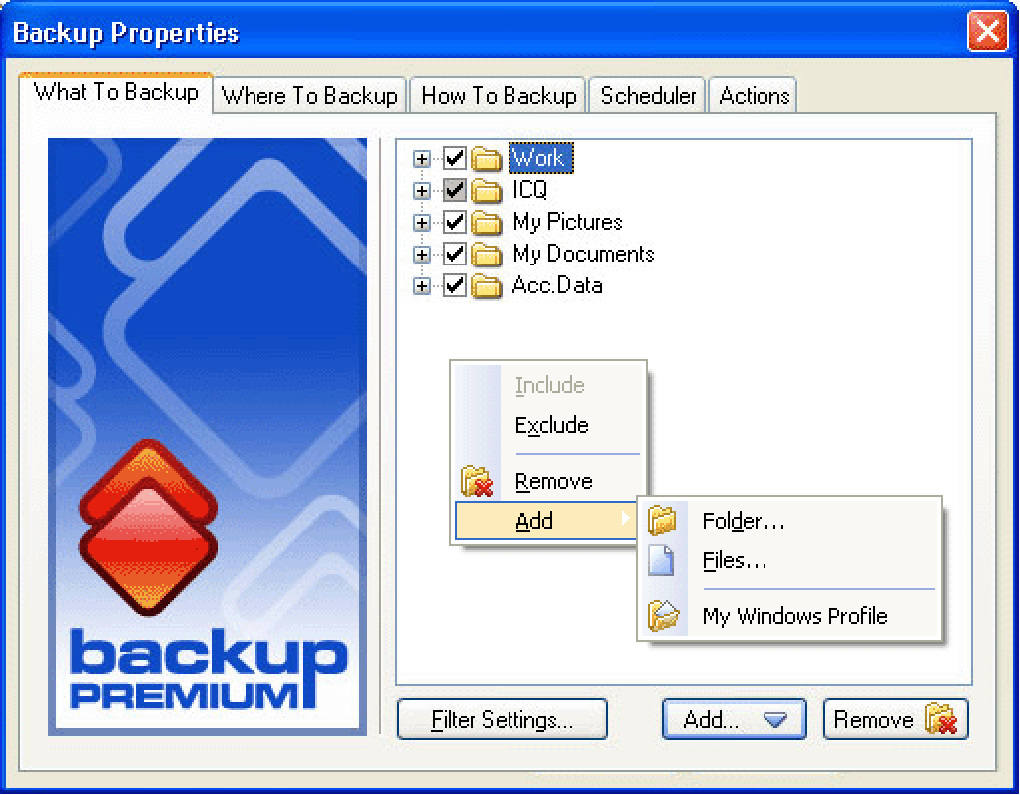
Once installed, the first launch presents a clean dashboard. To begin a backup, click the “Add Source” button and browse to the folders you wish to protect—commonly Documents, Pictures, and any business‑critical directories. Next, click “Select Destination” and point the software to an external hard drive, a network share, or a dedicated backup partition. Before starting, you can enable encryption by checking the “Encrypt Backup” box and entering a strong password (minimum 12 characters, mix of letters, numbers, and symbols).
For users who prefer automation, the “Schedule” tab lets you define when backups run. You can pick a specific time of day, choose the frequency (daily, weekly, monthly), and even set a retention policy that automatically deletes backups older than a chosen threshold. All scheduled tasks are handled by the Windows Task Scheduler, ensuring that the program respects system resources and does not interfere with other processes.
Restoring data follows a similarly intuitive workflow. Open the “Restore” tab, locate the backup set you need, and either select individual files or click “Restore All.” The software then decrypts (if applicable) and extracts the files to a location of your choice. Because the restore process is file‑based, you can recover a single document without re‑creating the entire backup set, which is especially useful when dealing with large archives.
Overall, the installation and daily operation of Backup Premium require minimal technical expertise, making it a perfect fit for home users, small offices, and IT administrators tasked with maintaining legacy Windows machines.
Compatibility, Pros & Cons – The Full Picture
Compatibility
Backup Premium proudly supports Windows 98, Windows ME, Windows 2000, and all subsequent versions up to Windows 10 (though official testing stopped at Windows XP). The program runs in both 32‑bit and 64‑bit environments, automatically detecting the appropriate system libraries. Because it avoids reliance on modern APIs, you can install it on older hardware without worrying about driver conflicts or missing DLLs. However, note that the graphical interface uses classic Windows controls, so on Windows 10/11 the look may appear dated.
Pros
- Extremely low disk and memory usage, ideal for older machines.
- Strong AES‑256 encryption ensures backup confidentiality.
- Incremental and versioned backups reduce storage requirements.
- Simple, wizard‑driven UI that anyone can master quickly.
- Works offline—no internet connection required, enhancing security.
- Supports a wide range of storage destinations, including network shares.
- Free trial with full feature set, no hidden fees.
Cons
- Last official update was in 2006, so newer Windows features (e.g., BitLocker integration) are missing.
- Lack of native cloud backup options; all data stays on local media.
- Interface looks outdated on modern Windows versions.
- No built‑in file‑type filtering; users must manually select folders.
- Support is limited to community forums; no dedicated technical hotline.
FAQ – Answers to Common Questions About Backup Premium
Is Backup Premium still safe to use on modern Windows systems?
Yes. Although the last official update was in 2006, the core encryption and backup algorithms remain secure. The program runs without requiring any modern Windows APIs, so it works on Windows 10 and Windows 11, albeit with a classic UI.
Can I back up to cloud storage services like OneDrive or Google Drive?
Backup Premium does not include native cloud connectors. However, you can map a cloud‑synced folder (e.g., OneDrive folder) as a local destination, and the software will treat it like any other drive.
What encryption strength does Backup Premium provide?
All backup archives are encrypted with AES‑256, the industry‑standard for data protection. You control the password, and the key is derived using PBKDF2 with 10,000 iterations.
Is there a limit to the size of the backup set?
There is no hard‑coded limit. The practical limit is the capacity of the destination storage and the file‑system constraints (e.g., FAT32’s 4 GB file size limit). Using NTFS or exFAT eliminates this restriction.
How do I purchase the full version after the trial expires?
The trial is fully functional for 30 days. To unlock the perpetual license, click the “Upgrade” button in the application, which redirects you to the vendor’s checkout page. A one‑time payment of $29.99 USD provides unlimited updates for the current major version.
Conclusion – Secure Your Data Today with Backup Premium
Backup Premium delivers exactly what its name promises: a premium‑grade, secure backup solution that works on both legacy and modern Windows platforms. Its lightweight design, strong AES‑256 encryption, and straightforward user interface make it an excellent choice for users who value offline protection without the bloat of contemporary cloud‑centric suites. While the software lacks native cloud integration and a modern visual theme, its reliability, low resource consumption, and proven track record across millions of installations speak for themselves.
If you’re looking for a dependable way to safeguard important documents, photos, or business files without sacrificing performance, download Backup Premium now. The free trial gives you full access to every feature, so you can experience the peace of mind that comes from knowing your data is safely archived and easily recoverable.
Click here to download the trial version and start protecting your files today.







